

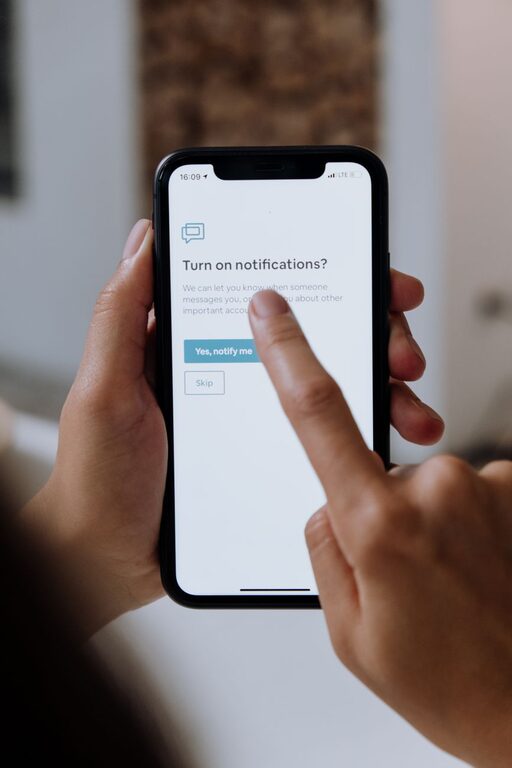
In today’s always-connected world, notifications can easily interrupt our daily flow and steal precious moments of focus. Whether it’s a ping from your phone, a pop-up on your computer, or alerts from apps, constant interruptions may lead to stress, reduced productivity, and difficulty concentrating. Setting boundaries with notifications is an essential skill that helps you regain control over your time and attention.
In this post, we’ll explore practical tips for managing notifications thoughtfully, so they support your priorities instead of distracting you. Let’s dive into ways you can create healthy digital habits and enjoy more meaningful moments throughout your day.
Why Setting Boundaries with Notifications Matters
Notifications were designed to keep us informed, but when they come too frequently or at inopportune times, they can become a source of anxiety and distraction. Here are some reasons to consider setting boundaries:
– Improved Focus: Fewer interruptions mean you can concentrate better on tasks.
– Reduced Stress: Managing notifications prevents sensory overload.
– Better Work-Life Balance: By controlling alerts, you separate work from personal time.
– Enhanced Sleep Quality: Turning off notifications at night helps you rest without disturbances.
Tips for Setting Boundaries with Notifications
1. Audit Your Notifications Regularly
Start by reviewing all the apps and services that send you notifications. Many apps send alerts you may not really need.
– Go through your device’s notification settings.
– Disable non-essential notifications.
– Prioritize alerts from people or apps that matter most.
This simple step reduces noise and helps you focus on what’s truly important.
2. Use Do Not Disturb Modes Strategically
Most smartphones and computers offer “Do Not Disturb” (DND) modes that silence notifications for set periods.
– Schedule DND during work hours or focused time blocks.
– Use DND overnight to avoid being woken up.
– Customize exceptions for urgent contacts if needed.
This allows you to create uninterrupted periods while still staying reachable in emergencies.
3. Customize Notification Settings for Each App
Not all notifications are created equal. Many apps let you customize which types of alerts you receive.
– Turn off promotional or social media notifications.
– Enable only critical or direct message notifications.
– Use “silent” notifications that show in the app but don’t make sounds.
Tailoring your notifications keeps you informed without overwhelming you.
4. Limit Notifications on Multiple Devices
If you use several devices—phone, tablet, laptop—notifications may duplicate and multiply your distractions.
– Decide which device should get notifications for each app.
– Disable redundant alerts on other devices.
– Sync your notification settings across devices if possible.
This prevents you from being notified multiple times about the same event.
5. Schedule Specific Times to Check Notifications
Instead of reacting instantly to every alert, designate particular times to review messages and updates.
– Set short intervals throughout the day (e.g., every hour or two).
– Use app timers or productivity tools to enforce these breaks.
– Respond to notifications in batches to maintain flow.
This approach helps you manage communications efficiently without constant distraction.
6. Turn Off Notifications When Engaged in Deep Work
When working on demanding tasks, consider completely turning off or minimizing notifications.
– Use airplane mode if internet access is not needed.
– Close apps that send frequent alerts.
– Inform colleagues or family that you’ll be unavailable temporarily.
Creating these focused sessions boosts productivity and reduces mental fatigue.
7. Use Notification Summary Features
Some devices offer notification summaries that group non-urgent alerts to deliver at specific times.
– Enable summary features on your iPhone or Android device.
– Schedule summaries during breaks or after work hours.
– Review notifications thoughtfully without constant interruptions.
This aggregation helps keep your attention where you want it most.
8. Communicate Your Boundaries to Others
Let friends, family, and coworkers know about your notification preferences and availability.
– Set clear expectations about when you’ll respond.
– Use status messages or auto-replies during focus times.
– Encourage respectful communication habits.
Open communication supports your boundaries and reduces pressure to respond immediately.
Final Thoughts
Notifications are useful tools when managed well, but unchecked they can damage focus and well-being. By auditing your alerts, using do not disturb modes, customizing settings, and scheduling check-in times, you’ll create a healthier balance between staying informed and being present.
Remember, the goal isn’t to eliminate notifications completely but to shape them to serve your goals. Start small, experiment with different tactics, and find what works best for your lifestyle.
Taking control of your notifications is a step toward greater productivity, reduced stress, and a more intentional use of technology. Give these tips a try and enjoy the benefits of fewer distractions!