

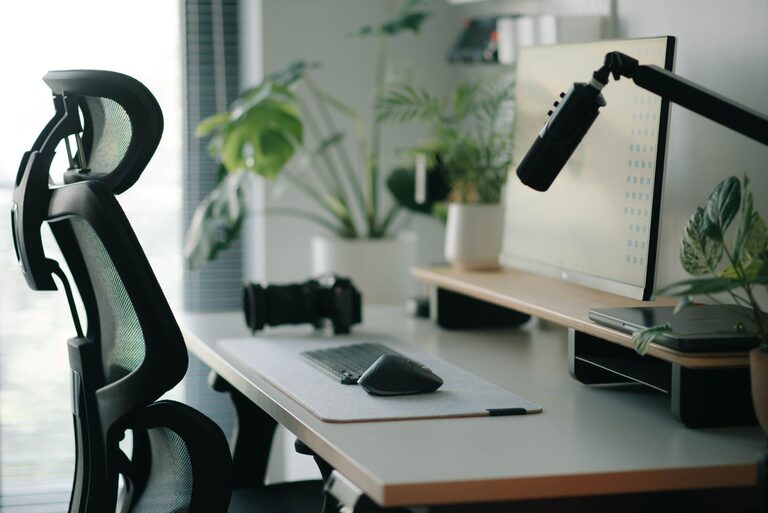
Creating a workspace that encourages focus and comfort is essential for productivity, whether you’re working from home or in an office. A well-organized desk setup can reduce distractions, prevent discomfort, and help you maintain energy throughout the day. Here are some practical tips to design a desk space that supports your work and well-being.
Choose the Right Desk and Chair
Desk Height and Size
Your desk should be at a height where your forearms are parallel to the floor when typing or writing. A standard desk height is typically between 28 to 30 inches, but adjustable desks can be an excellent option to customize comfort.
Make sure your desk surface has enough space for your essential tools like your computer, notebook, and any accessories you use daily. Avoid clutter by keeping only what you need within arm’s reach.
Comfortable Chair
Invest in a chair that supports good posture. Look for an adjustable chair with lumbar support, a cushioned seat, and height settings that allow your feet to rest flat on the floor.
Proper seating can prevent back and neck strain, allowing you to focus better during long periods of work.
Optimize Monitor Placement
Eye Level Positioning
Place your monitor so the top of the screen is at or slightly below your eye level. This helps prevent neck strain caused by looking up or down too much.
Distance From Eyes
Position your screen about an arm’s length away, roughly 20 to 30 inches. This distance reduces eye strain and allows you to view the screen comfortably.
If you use multiple monitors, arrange them so the primary screen is directly in front of you, and the secondary one is adjacent, requiring minimal head movement.
Use Proper Lighting
Natural Light
Whenever possible, set up your desk near a window to take advantage of natural light. It can improve mood and reduce eye strain.
Task Lighting
If natural light is insufficient, use a desk lamp with adjustable brightness and direction. Soft, warm light can create a comfortable atmosphere without causing glare on your screen.
Avoid harsh overhead lighting or direct sunlight on your monitor, which can create glare and distractions.
Organize Your Desk for Efficiency
Declutter Regularly
A tidy desk helps clear your mind. Remove unnecessary items and store them elsewhere.
Use Organizers
Use drawer dividers, pen holders, and trays to keep small items neatly arranged.
Cable Management
Tidy up cables using clips or sleeves. This not only looks cleaner but reduces the risk of accidentally unplugging devices.
Incorporate Comfort Accessories
Keyboard and Mouse
Choose ergonomic keyboards and mice that fit your hand size and reduce strain.
Wrist Support
Consider wrist rests for your keyboard and mouse to keep your wrists in a neutral position.
Footrest
If your feet don’t comfortably reach the floor, use a footrest to support proper posture.
Add Personal Touches
While maintaining a professional workspace, adding a few personal items can boost motivation.
– Small plants can improve air quality and add a refreshing touch.
– A photo or artwork you enjoy can provide mental comfort.
– Use color accents in your desk accessories to create an uplifting environment.
Take Breaks and Move
Remember that even the best desk setup works best when combined with healthy habits.
– Follow the 20-20-20 rule: every 20 minutes, look at something 20 feet away for 20 seconds to reduce eye strain.
– Stand up, stretch, or walk briefly every hour to prevent stiffness and refresh your mind.
Conclusion
A thoughtful desk setup can make a big difference in how comfortable and focused you feel throughout the workday. By paying attention to ergonomics, lighting, organization, and comfort, you’ll create a space that supports both your health and productivity. Take time to adjust your workspace to suit your needs—it’s an investment in your well-being and work success.