

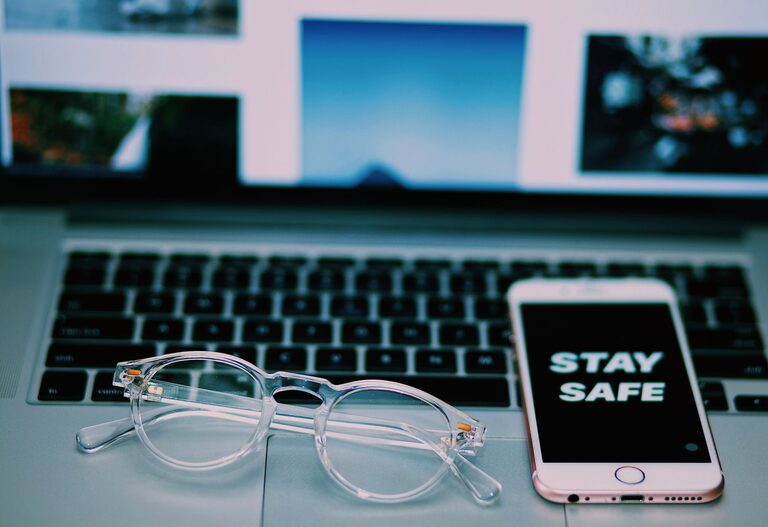
Keeping your phone and keyboard clean is essential for both hygiene and device longevity. These everyday tools carry countless germs and can accumulate dust and grime that affect their performance. However, cleaning electronics requires care to avoid damage. This guide will walk you through safe, easy methods to clean your phone and keyboard effectively.
Why Cleaning Your Devices Matters
Phones and keyboards are among the most frequently touched objects we use daily. They collect oils from our skin, dirt, dust, and potentially harmful bacteria. Regular cleaning can:
– Reduce the risk of germs spreading
– Improve the appearance of your devices
– Help buttons and screens work smoothly
– Extend the lifespan of your electronics
Before diving into cleaning, it is important to use proper materials and techniques to protect sensitive components.
General Tips for Safe Cleaning
– Power off devices: Always turn off your phone or unplug your keyboard before cleaning to prevent damage or accidental input.
– Avoid excessive moisture: Liquids can harm electronics. Use damp (not wet) cloths and avoid spraying cleaners directly on the devices.
– Use gentle cleaning agents: Harsh chemicals can degrade surfaces or remove coatings. Choose mild, electronics-safe products.
How to Clean Your Phone Safely
Phones have delicate screens and components, so a careful approach is needed.
What You’ll Need
– Soft microfiber cloth
– Distilled water
– Isopropyl alcohol (70% concentration is commonly recommended)
– Small spray bottle (optional)
– Cotton swabs or soft-bristled brush (for ports)
– Compressed air can (optional)
Step-by-Step Cleaning
- **Turn off your phone** and unplug any cables or accessories.
- **Remove the case** and clean it separately according to its material (silicone, leather, etc.).
- **Prepare a cleaning solution** by mixing equal parts distilled water and isopropyl alcohol in a spray bottle, or use pre-moistened electronics-safe wipes.
- **Lightly dampen the microfiber cloth** with the cleaning solution—do not soak it.
- **Gently wipe all surfaces** of the phone, including the screen, back, and sides.
- **Use cotton swabs** dipped in the solution to clean around buttons and inside ports carefully.
- **Dry the phone** with a separate dry microfiber cloth, ensuring no moisture remains.
- **Let it air dry** completely before turning it back on or replacing the case.
Additional Tips
– Avoid using household cleaners like window or kitchen sprays.
– Don’t use bleach or abrasive materials.
– Clean your phone regularly, especially if you use it often outdoors or during meals.
How to Clean Your Keyboard Safely
Keyboards gather dust, crumbs, and oils that can affect performance and hygiene. The cleaning method depends on whether you have a mechanical, membrane, or laptop keyboard.
What You’ll Need
– Soft microfiber cloth
– Isopropyl alcohol (70%)
– Cotton swabs
– Compressed air can
– Small brush (like a clean paintbrush or toothbrush)
– Mild dish soap (optional for keycaps)
Step-by-Step Cleaning
- **Turn off and unplug your keyboard**, or power down your laptop.
- **Remove loose debris** by tilting the keyboard and gently shaking it or letting compressed air blast out particles from between keys.
- **Brush away dirt** using a soft brush around keys and in crevices.
- **Prepare a cleaning cloth**: dampen a microfiber cloth with 70% isopropyl alcohol—do not saturate.
- **Wipe down all keys and surfaces**, making sure not to let liquid drip underneath keys.
- **Use cotton swabs** dipped in alcohol to clean edges and spaces around keys.
- **For removable keycaps**, if your keyboard allows, remove them carefully and soak in soapy water. Allow to dry fully before reattaching.
- **Dry the keyboard thoroughly** before reconnecting or powering it back on.
Laptop Keyboard Care
For laptop keyboards:
– Use compressed air to remove dust and crumbs.
– Use a barely damp microfiber cloth with isopropyl alcohol for cleaning keys gently.
– Avoid pressing too hard to prevent damage.
How Often Should You Clean?
– Phones: Wipe weekly or more often if you frequently eat with your phone nearby or use it outdoors.
– Keyboards: Clean monthly, with quick debris removal weekly. Deep clean keycaps every few months if detachable.
Final Thoughts
Regular, careful cleaning of your phone and keyboard helps maintain hygiene and device function without risking damage. By using gentle cleaning agents, soft cloths, and proper techniques, you can keep your gadgets fresh and safe to use. Remember to power off devices before cleaning and avoid using strong chemicals or excessive moisture.
With these tips, your devices will look and feel cleaner, contributing to a healthier environment at work or home. Happy cleaning!